


Introduction
In today’s rapidly evolving educational landscape, technology plays a pivotal role in enhancing teaching and learning experiences. With the rise of AI tools, educators now have access to innovative solutions that save time, improve productivity, and foster creativity in the classroom. This blog explores the best 2026 AI tools for teachers, highlighting the top 11 platforms that empower educators to create engaging lesson plans, simplify administrative tasks, and deliver personalized instruction. From video creation tools to AI writing assistants, these resources are designed to meet the diverse needs of modern educators, transforming the way they teach and inspire their students.
Table of Contents
1) Canva
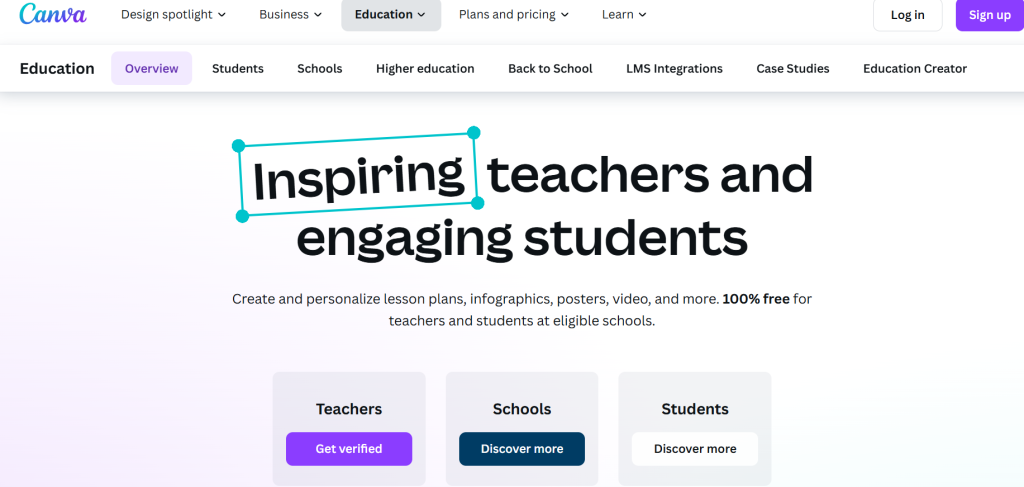
Canva is a versatile graphic design platform that has become a must-have for educators in 2026. Designed with simplicity and efficiency in mind, Canva allows teachers to create stunning visual content such as lesson plans, presentations, posters, and classroom resources. It’s user-friendly enough for beginners while offering advanced features for experienced users. By leveraging Canva, teachers can save time, enhance the learning experience, and make their classrooms more engaging.
In the evolving educational landscape, Canva’s AI-powered capabilities set it apart as one of the most effective 2026 AI tools for teachers. Its features are tailored to meet the unique demands of educators, making the design process effortless and impactful.
Features
- AI-Powered Magic Tools: Canva’s Magic Write and Magic Design features help automate content creation. Teachers can describe their needs, and Canva generates professional-quality designs and text in seconds.
- Extensive Education Templates: Canva provides thousands of ready-made templates specifically designed for educators. These include lesson plans, certificates, flashcards, and infographics that can be customized to suit any subject or grade level.
- Simple Drag-and-Drop Interface: Even without graphic design experience, teachers can easily create engaging content using Canva’s intuitive drag-and-drop tools.
- Collaborative Capabilities: Canva supports real-time collaboration, allowing teachers to work together on shared projects or involve students in co-creating classroom materials.
- Multimedia Integration: Teachers can integrate videos, animations, and interactive elements into their lesson materials, making learning more dynamic and engaging.
- Brand Customization: Schools with specific branding guidelines can use Canva Pro’s brand kits to maintain a consistent look across all educational materials.
- Cloud-Based Accessibility: Canva’s cloud-based platform allows teachers to design and edit from any device, ensuring flexibility and convenience.
- Print and Digital Options: Whether for in-person classes or online teaching, Canva supports both print and digital formats, catering to diverse classroom needs.
- Rich Content Library: Canva includes an extensive library of images, illustrations, icons, and fonts, giving teachers endless possibilities for creative designs.
2) Grammarly
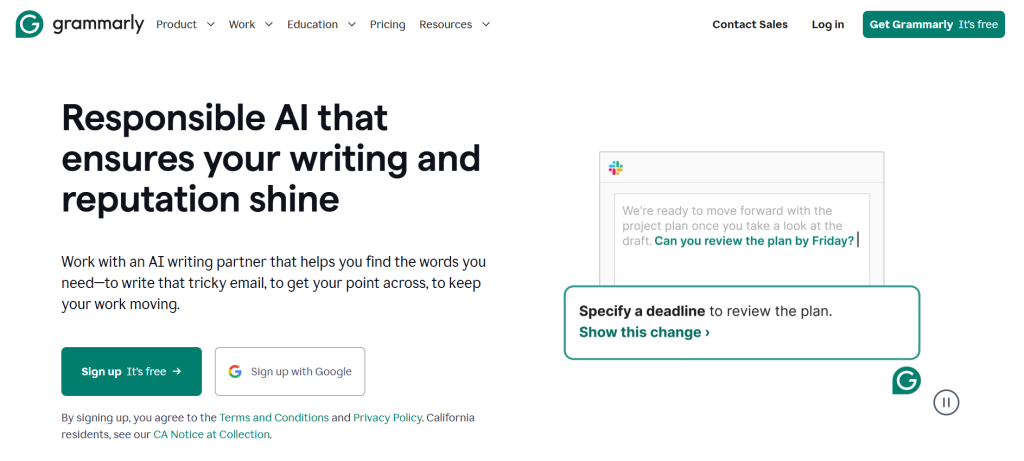
Grammarly is an AI-powered writing assistant that helps teachers and students enhance their writing by providing real-time suggestions for grammar, punctuation, clarity, and tone. Designed to make written communication more effective, Grammarly is an indispensable tool for educators who want to improve their students’ language skills or refine their own written materials.
For teachers, Grammarly simplifies tasks like grading essays, writing lesson plans, and crafting emails or reports. By ensuring error-free, clear communication, Grammarly allows educators to focus more on teaching and less on tedious proofreading. As one of the most practical 2026 AI tools for teachers, Grammarly elevates the quality of writing in the classroom while fostering better learning outcomes for students.
Features
- Grammar and Spell Check: Grammarly identifies and corrects grammatical errors, typos, and spelling mistakes instantly, saving teachers time when reviewing student assignments or preparing materials.
- Clarity Suggestions: The tool enhances the readability of text by suggesting simpler and more concise alternatives, ensuring teaching materials are accessible to all students.
- Plagiarism Checker: Grammarly’s plagiarism detection feature helps teachers ensure that students submit original work, upholding academic integrity.
- Tone and Style Analysis: Grammarly provides insights into the tone of writing, helping teachers tailor their communication for specific audiences, whether it’s formal reports or casual class announcements.
- Custom Goals: Teachers can set specific goals for writing style, tone, and intent, allowing Grammarly to provide tailored suggestions that align with the lesson’s purpose.
- Vocabulary Enhancement: Grammarly suggests synonyms and word replacements, helping teachers and students expand their vocabulary and avoid repetitive language.
- Integration with Popular Platforms: Grammarly works seamlessly with platforms like Google Docs, Microsoft Word, and email clients, ensuring assistance wherever you write.
- Mobile and Desktop Accessibility: Teachers can use Grammarly on both desktop and mobile devices, ensuring support is always within reach, whether at school or on the go.
3) QuillBot
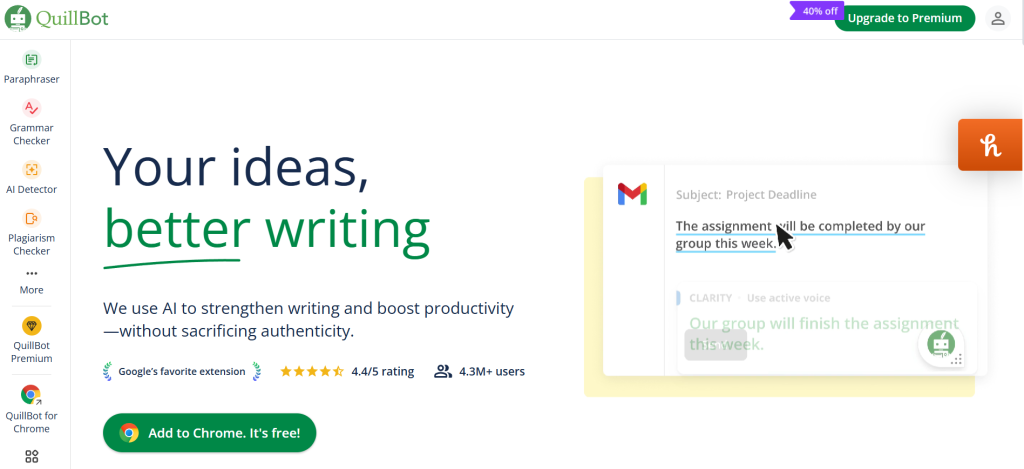
QuillBot is an advanced AI-powered paraphrasing and writing tool that helps teachers and students improve the quality and originality of their written content. Designed to rephrase sentences while retaining their meaning, QuillBot ensures clarity, conciseness, and engagement. For teachers, it’s an invaluable resource for simplifying complex topics, creating diverse question formats, and assisting students in crafting original work.
QuillBot supports educators in enhancing their lesson plans, diversifying teaching materials, and encouraging creativity in students’ writing. Its ability to refine and reframe text makes it a go-to solution for educators aiming to deliver polished, effective communication.
Features
- Paraphrasing Tool: QuillBot’s core feature allows teachers to rephrase text effortlessly, making lesson plans, handouts, and study materials clearer and more engaging.
- Grammar Checker: Built-in grammar-checking capabilities ensure that all written materials are error-free, saving time on proofreading.
- Summarizer Tool: Teachers can use QuillBot’s summarizer to condense lengthy documents, articles, or reports into concise summaries, making it easier to present key points to students.
- Custom Writing Modes: QuillBot offers various modes (such as Standard, Fluency, and Creative) to tailor the output to the specific tone and style required for different educational contexts.
- Plagiarism Checker: Ensures original content creation and helps teachers identify copied work in student submissions.
- Vocabulary Enhancement: QuillBot suggests synonyms and vocabulary adjustments, allowing teachers to diversify language in lesson plans and writing exercises.
- Cohesion Improvement: QuillBot refines sentence structure and flow, helping teachers polish essays, reports, and other academic content.
- Seamless Integration: QuillBot integrates with platforms like Google Docs and Microsoft Word, enabling teachers to use it within their existing workflows.
- Accessible on Multiple Devices: Whether on a computer or mobile device, teachers can use QuillBot anytime, ensuring uninterrupted access to its tools.
4) Synthesia
Synthesia is an AI-powered video creation platform that enables teachers to create engaging, professional-quality videos without needing advanced technical skills. By using AI-generated avatars and voices, Synthesia allows educators to produce instructional videos, explainer content, or even virtual lessons quickly and affordably. Teachers can input text, select a video template, and let the AI bring it to life.
In a world where visual learning is increasingly important, Synthesia stands out as one of the most innovative 2026 AI tools for teachers. It empowers educators to deliver dynamic, personalized video content that enhances student engagement and comprehension, whether in a classroom or online setting.
Features
- AI-Generated Avatars: Choose from a library of realistic AI avatars to represent the teacher or narrator in the video, adding a professional and personalized touch to lessons.
- Text-to-Video Technology: Simply input your script, and Synthesia converts it into a high-quality video, eliminating the need for on-camera appearances or video-editing skills.
- Multilingual Support: Synthesia supports over 120 languages, enabling teachers to create videos for diverse student populations or multilingual classrooms.
- Customizable Templates: Access a variety of templates for educational videos, such as lesson introductions, tutorials, or topic explanations, all easily customizable.
- Screen and Slide Integration: Combine AI-generated narration with screen recordings or slides to create interactive and informative presentations.
- Voice Customization: Choose from a range of AI voices with different tones and accents to match the video’s intended audience and purpose.
- Quick Editing: Synthesia offers simple tools for editing scripts, avatars, and layouts, allowing teachers to make changes efficiently.
- Time and Cost Efficiency: Avoid the time-consuming process of traditional video production and create professional videos in minutes at a fraction of the cost.
- Cloud-Based Platform: Access Synthesia from any device with an internet connection, making it convenient for teachers to work on videos anywhere, anytime.
- Diverse Applications: Use Synthesia for flipped classrooms, e-learning modules, announcements, or even professional development content.
5) ChatGPT (OpenAI)
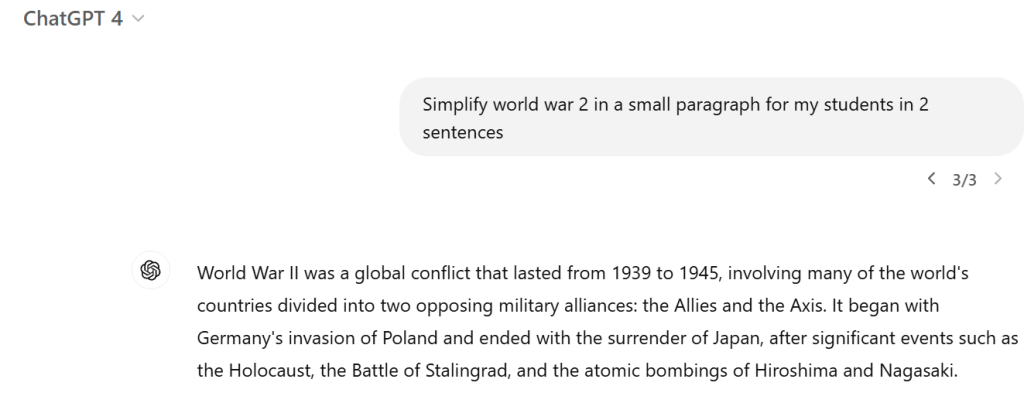
ChatGPT, developed by OpenAI, is an advanced AI language model that can help to assist teachers in creating, planning, and enhancing educational materials. Its ability to generate human-like text makes it an indispensable tool for educators who need help with lesson planning, generating ideas, simplifying complex concepts, or even creating quizzes and writing prompts.
As one of the most versatile 2026 AI tools for teachers, ChatGPT adapts to various classroom needs. Whether used to save time on repetitive tasks or provide personalized support for students, this AI-powered assistant empowers teachers to focus more on teaching and less on preparation.
Features
- Lesson Plan Generation: Teachers can input a topic or grade level, and ChatGPT provides detailed lesson plans, including objectives, activities, and assessments tailored to the subject.
- Simplifying Complex Topics: ChatGPT can break down difficult concepts into simpler explanations, making them easier for students to understand.
- Creative Writing Prompts: Generate engaging and unique prompts for classroom discussions, essays, or storytelling activities.
- Quiz and Assessment Creation: ChatGPT helps teachers design multiple-choice questions, fill-in-the-blank exercises, and even open-ended questions tailored to their curriculum.
- Content Customization: Personalize responses and outputs by providing specific instructions, ensuring materials are aligned with educational goals.
- Homework Help and Study Guides: Teachers can use ChatGPT to create concise study guides or resources for students, enhancing their independent learning.
- Real-Time Assistance: Teachers can ask ChatGPT for suggestions or resources during classroom discussions, providing on-the-spot support.
- Professional Writing Assistance: Whether it’s crafting emails, reports, or grant applications, ChatGPT ensures polished, error-free communication.
- Adaptable Across Subjects: ChatGPT supports teaching across all disciplines, from STEM to the humanities, by generating relevant and accurate content.
- Continuous Improvement: The model evolves with user feedback, ensuring better and more tailored responses over time.
6) Pictory
Pictory is an AI-driven video creation platform that enables teachers to transform text-based content into engaging videos effortlessly .By converting scripts, articles, or even existing videos into concise, visually appealing formats, Pictory enhances the learning experience and caters to diverse student needs. Its user-friendly interface and automation capabilities make it an invaluable asset for educators aiming to integrate multimedia content into their teaching strategies.
In the realm of 2026 AI tools for teachers, Pictory stands out by simplifying video production, allowing educators to focus more on delivering quality education and less on technical complexities.
Features
- Text-to-Video Conversion: Transform written content such as lesson plans, articles, or scripts into engaging videos, making information more accessible and retaining student interest.
- AI-Powered Video Editing: Utilize AI to edit videos seamlessly, including adding subtitles, captions, and relevant visuals, enhancing comprehension and accessibility.
- Extensive Media Library: Access a vast collection of royalty-free images, video clips, and music tracks to enrich your educational videos, ensuring they are both informative and captivating.
- AI-Generated Narration: Incorporate realistic AI-generated voiceovers into your videos, providing clear and consistent audio explanations without the need for recording equipment.
- User-Friendly Interface: Navigate through an intuitive platform that requires no prior video editing experience, allowing teachers to create professional-quality videos with ease.
- Multilingual Support: Create videos in multiple languages, catering to diverse classrooms and enhancing inclusivity in education.
- Cloud-Based Accessibility: Work on your projects from any device with internet access, facilitating flexibility and collaboration among educators and students.
7) EdCafé AI
EdCafé AI is an innovative AI-powered platform designed to assist educators in effortlessly generating and organizing high-quality instructional content. By leveraging advanced language models, EdCafé AI streamlines lesson planning, resource creation, and student engagement, allowing teachers to focus more on teaching and less on administrative tasks. As one of the leading 2026 AI tools for teachers, EdCafé AI enhances productivity and enriches the educational experience for both teachers and students.
Features
- Vocabulary-Based Reading: Generate reading passages tailored to specific vocabulary words, aiding in targeted vocabulary instruction.
- Reading Comprehension Tools: Create customized reading comprehension questions from existing texts, facilitating deeper student understanding.
- AI Slides Generator: Automatically produce presentation slides from your content, saving time in lesson preparation.
- Custom AI Chatbot: Develop personalized chatbots to assist students with queries, providing immediate support and enhancing engagement.
- AI Flashcards Maker: Create interactive flashcards to reinforce learning and assist with student revision.
- Teaching Resources Finder: Access a curated library of teaching materials, streamlining the process of resource discovery.
- AI Quiz Maker: Design quizzes effortlessly, enabling quick assessment of student progress.
- Lesson Plan Generator: Generate comprehensive lesson plans aligned with your teaching objectives, ensuring structured and effective instruction.
- Vocabulary Cards Maker: Create vocabulary cards to support language acquisition and retention.
- Collaborative Resource Hub: Utilize a shared space akin to Google Drive for storing, organizing, and sharing AI-created materials, fostering collaboration among educators.
8) Otter.ai
Otter.ai is an AI-powered transcription service that provides real-time transcriptions and captions for lectures, meetings, and classroom discussions. By converting spoken language into accurate, searchable text, Otter.ai enhances accessibility and allows teachers and students to focus more on engagement rather than note-taking. As one of the essential 2026 AI tools for teachers, Otter.ai facilitates efficient information sharing and review, thereby enriching the educational experience.
Features
- Real-Time Transcription: Otter.ai transcribes spoken words into text instantly, enabling students to follow along during lectures and review material afterward.
- Live Captions: Provides immediate captions for both in-person and virtual classes, supporting students with hearing impairments and those for whom English is a second language.
- Interactive Notes: Allows users to highlight key points, add comments, and insert images directly into the transcribed text, creating a comprehensive set of notes.
- Collaboration Tools: Enables sharing of transcriptions with students and colleagues, fostering collaborative learning and seamless information dissemination.
- Integration with Virtual Meeting Platforms: Seamlessly integrates with platforms like Zoom, Google Meet, and Microsoft Teams, providing automatic transcription for virtual classes and meetings.
- Custom Vocabulary: Allows educators to add specific terminology to improve transcription accuracy for subject-specific language.
- Mobile Accessibility: Offers mobile applications for iOS and Android, enabling access to transcriptions and notes on the go.
- Secure Cloud Storage: Stores transcriptions securely in the cloud, ensuring easy access and data protection.
- Searchable Transcripts: Provides the ability to search through transcriptions by keywords, making it easy to locate specific information quickly.
9) TeachMateAI
TeachMateAI is an AI-powered digital assistant designed to help educators streamline daily tasks, thereby enhancing productivity and allowing more focus on teaching. By automating various administrative duties, TeachMateAI enables teachers to dedicate more time to student engagement and instructional quality. As one of the leading 2026 AI tools for teachers, it offers a comprehensive suite of features tailored to meet the diverse needs of modern educators.
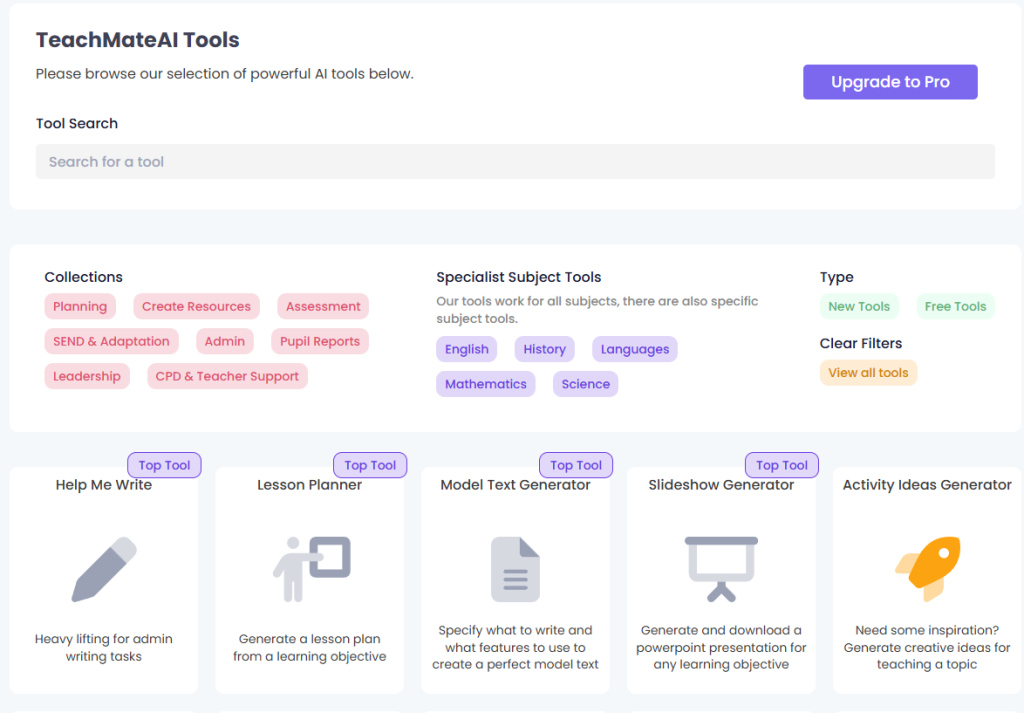
Features
- Lesson Planning Assistance: Generate detailed and customized lesson plans aligned with curriculum standards, saving time in preparation.
- Resource Creation: Develop worksheets, flashcards, and other teaching materials quickly, ensuring resources are tailored to specific learning objectives.
- Assessment Tools: Create quizzes and assessments effortlessly, facilitating the evaluation of student progress and understanding.
- Report Writing: Automate the generation of comprehensive student reports, providing insights into academic performance and areas for improvement.
- Administrative Support: Handle routine administrative tasks efficiently, reducing the workload and administrative burden on teachers.
- Specialized Subject Tools: Access tools tailored for specific subjects, enhancing the delivery of subject-specific content.
- SEND & Adaptation Resources: Develop resources to support Special Educational Needs and Disabilities (SEND) students, promoting inclusive education.
- Professional Development: Utilize tools that support Continuous Professional Development (CPD), aiding in teacher growth and effectiveness.
- Collaboration Features: Share resources and collaborate with colleagues seamlessly, fostering a collaborative teaching environment.
- Leadership Tools: Access features designed to assist educational leaders in managing and supporting teaching staff effectively.
10) Lumen5
Lumen5 is an AI-powered video creation platform that enables educators to transform text-based content into engaging videos effortlessly. By converting articles, lesson plans, or any written material into dynamic visual presentations, Lumen5 enhances the learning experience and caters to diverse student needs. Its intuitive interface and automation capabilities make it an invaluable tool for teachers aiming to integrate multimedia content into their teaching strategies.
As one of the prominent 2026 AI tools for teachers, Lumen5 simplifies video production, allowing educators to focus more on delivering quality education and less on technical complexities.
Features
- AI-Driven Storyboarding: Lumen5 utilizes artificial intelligence to analyze text and automatically generate a storyboard, selecting key points and relevant media for each scene.
- Extensive Media Library: Access a vast collection of royalty-free images, video clips, and music tracks to enrich your educational videos, ensuring they are both informative and captivating.
- Customization Options: Personalize your videos by adding logos, choosing themes, and selecting fonts and colors that align with your educational objectives and branding.
- Multi-Format Support: Create videos optimized for various platforms, such as social media or classroom presentations, ensuring compatibility and effective communication.
- User-Friendly Interface: Navigate through an intuitive platform that requires no prior video editing experience, allowing teachers to create professional-quality videos with ease.
- Text-to-Video Conversion: Transform written content such as lesson plans, articles, or scripts into engaging videos, making information more accessible and retaining student interest.
- Collaboration Tools: Share video projects with colleagues or students, facilitating collaborative efforts in content creation and review.
- Cloud-Based Accessibility: Work on your projects from any device with internet access, facilitating flexibility and collaboration among educators and students.
- Easy Publishing and Sharing: Once a video is finalized, it can be published directly to social media platforms or downloaded in MP4 format for other uses, facilitating quick distribution of educational content.
11) Jasper AI
Jasper AI is an advanced generative AI platform designed to assist educators in creating high-quality content efficiently. By leveraging natural language processing, Jasper AI enables teachers to develop lesson plans, assignments, and other educational materials swiftly, thereby enhancing productivity and allowing more time for direct student engagement. As one of the leading 2024 AI tools for teachers, Jasper AI offers a suite of features tailored to meet the diverse needs of modern educators.
Features
- AI-Powered Content Generation: Jasper AI utilizes natural language processing to generate various types of content, including lesson plans, study guides, and assignments, streamlining the preparation process for educators.
- Tone Customization: Adjust the tone of the generated content to suit different educational contexts, ensuring that materials are appropriate for various student age groups and learning environments.
- Multilingual Support: Create content in over 30 languages, facilitating communication with a diverse student population and supporting language learning programs.
- Integration with Writing Tools: Seamlessly integrate with tools like Grammarly to ensure grammatical accuracy and clarity in all generated content.
- Plagiarism Checker: Utilize built-in plagiarism detection to ensure the originality of the content, maintaining academic integrity.
- Explain It to a 5th Grader Feature: Simplify complex concepts by rephrasing content to make it easily understandable for younger students, enhancing comprehension across different age groups.
- Collaboration Tools: Share documents and collaborate with colleagues in real-time, promoting teamwork in curriculum development and resource creation.
- Customizable Templates: Access a variety of templates designed for educational purposes, such as quizzes, worksheets, and newsletters, to expedite content creation.
- User-Friendly Interface: Navigate through an intuitive platform that requires minimal training, allowing educators to focus on teaching rather than mastering new software.
- Continuous Learning and Support: Benefit from resources like Jasper Academy and the Jasper Blog, which provide guidance on effectively integrating AI into educational practices.
Conclusion
The integration of AI tools into education is revolutionizing how teachers plan, create, and deliver lessons. The top 11 AI tools for teachers in 2026 highlighted in this blog not only simplify tasks but also open new possibilities for creativity and engagement in the classroom. Whether it’s crafting stunning visuals with Canva, generating lesson plans with Jasper AI, or creating interactive videos with Synthesia, these tools empower educators to focus on what truly matters—teaching and inspiring their students. By embracing these AI solutions, teachers can enhance their effectiveness, foster a dynamic learning environment, and stay ahead in an ever-evolving educational landscape.


